If you run a small business, start by giving AI small writing and organising jobs, and read the result before anyone else sees it. Five good first tasks are customer replies, product descriptions, a weekly plan, meeting notes and an FAQ. None of them needs real customer data. This article explains each, shows a worked example, and lists what you should never paste into a tool.
The ground rules before you begin
- You are the editor. Nothing leaves your business without a human reading it.
- Use placeholders such as [Customer name] and [Order number] instead of real details.
- Keep a short note of which tool you used, and for what.
- Check any facts, prices, dates and promises yourself.
Small businesses are real targets for online crime, so basic care matters. The UK National Cyber Security Centre publishes guidance for small businesses, and many protections take little effort. Strong passwords and two-step verification on your AI account are a good start.
Task 1: Draft customer replies with placeholders
Replying to the same questions all week is slow. Ask the tool for a friendly template, then fill in the details by hand.
Good to know
Try this prompt: "Write a polite reply to a customer whose parcel is late. Include a short apology and a promise to check, with placeholders for [Name], [Order number] and [New delivery date]. Keep it under 90 words."
Read the draft for tone and for promises you cannot keep. Delete any absolute promise unless it is true. Then paste the placeholders in yourself, outside the AI tool.
Task 2: Write product descriptions from your own facts
Give the tool the facts you already know, such as size, material and care instructions, and ask for two short versions. This works best when you supply the facts, so it has nothing to invent.
Check every claim against your product. Tools sometimes add features you never mentioned. Be careful with words such as "waterproof", "organic" or "safe for children". They can carry legal and safety meaning in your area.
Task 3: Plan your week
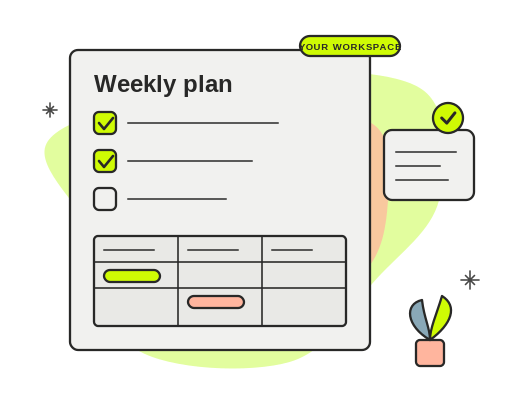
List your tasks, deadlines and available hours, then ask for a sensible order. For example: "Here are eight tasks with rough times. I have four working hours a day, Monday to Friday. Suggest a weekly plan and flag anything that does not fit."
Treat the result as a starting point. You know which jobs drain you and which customers cannot wait.
Task 4: Turn meeting notes into action items
After a team chat, type your own rough bullet points. Ask for a short summary and a list of actions with owners and dates. Only include what you are comfortable sharing with the tool. Leave out names of customers, staff pay, health details and anything confidential.
Compare the summary with what was actually agreed. If the tool guessed an owner or a date, correct it before sharing.
Task 5: Build a simple FAQ
List the five questions customers ask most, and your real answers in plain words. Ask the tool to tidy them into a clear FAQ with short headings. Because the answers come from you, the tool is only improving the wording.
A worked example: a bakery handles a delay
Imagine a made-up bakery, Corner Loaf, with a late wedding-cake order. The owner asks for a reply template using [Name], [Order number] and [New pickup time]. The draft promises a full refund no matter what. The owner knows that is not the shop's policy, so she deletes the line and writes the real policy. Then she fills in the placeholders in her email program. The tool saved time, and the owner kept control.
What never to paste into an AI tool
- Customer names, emails, phone numbers and addresses.
- Order histories, complaints that identify a person, and payment details.
- Passwords, access codes and bank or card details.
- Staff records, contracts and anything marked confidential.
- Other people's private information of any kind.
Do not type personal or confidential information into an AI tool unless your business has approved that tool for that use. Check the privacy settings and terms of any tool before you rely on it. Ask your own adviser if you are unsure about data protection rules where you operate. Use made-up examples whenever you can.
Start small and keep a record
Pick one task this week, not all five. Try it for a few days and note how much time it saved and what you had to fix. If you have staff, agree a short written rule on what may and may not go into the tool. Review that rule every few months, because tools and their terms change. A simple shared note is enough.
Check before you send
- Read the whole text aloud once.
- Verify names, prices, dates and promises against your own records.
- Remove claims you cannot prove.
- Make sure it sounds like your business.
- Send it yourself, from your own account.
This article gives general ideas, not legal, tax or financial advice. Rules on privacy, advertising and consumer rights differ by country, so confirm them with an official source or a qualified adviser.
Official pages to check
- ncsc.gov.uk, the small business cyber security guidance.
- consumer.ftc.gov, for scam warning signs that can affect your staff and customers.
- cisa.gov, for tips on spotting phishing messages.
- Your own country's data protection regulator, which I could not verify here.
If you would like to practise these five tasks with guidance, the courses below take them one at a time.
Common questions
Is it safe to use AI for customer emails?
It can be, if you keep customer details out of the tool and use placeholders such as [Name]. Always read and edit the draft yourself before sending, and follow your own privacy obligations.
Do I need a paid plan to start?
Not necessarily. Plans, prices and features change often, so check the tool's current pricing page. You can learn a lot with the free options before deciding anything.
Can AI replace my staff or my own judgement?
No. It drafts and organises text, but it cannot know your customers, your promises or your local rules. Treat every output as a draft that a person approves.
Official pages to check
AI tools change quickly. Check the vendor's current help page before you act, and review anything an AI tool produces before you rely on it.